Vision feedback and requery#
Prerequisites: parameterized skills with visual keypoint definitions, configured model access, and an image source. Outcome: ground the approved definitions in the intended image.
Choose the operation#
Vision feedback corrects annotations on the currently captured image. For example: “Move the cube’s top-face point to the center of the visible yellow top surface.” It uses the existing image, descriptions, and point set.
Requery performs another detection pass using the saved keypoint definitions. ROS modes capture a fresh image; file mode reads the workspace’s configured image. It retains the approved subtasks, controllers, and parameter values rather than regenerating the plan.
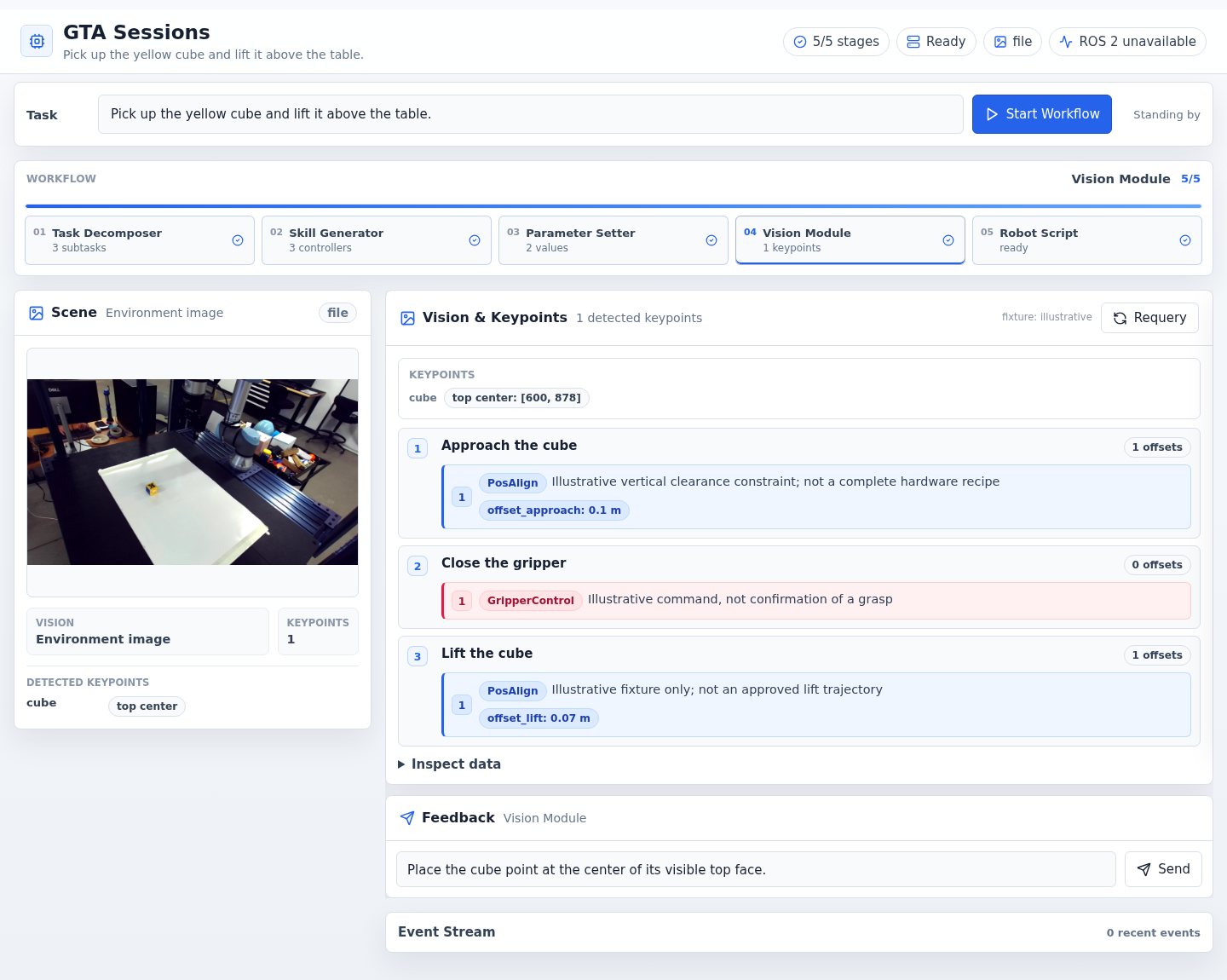
Example interface with synthetic data.#
Requery a changed scene#
Finish any robot execution and wait for the workspace to become idle.
Arrange the scene and verify that the configured source sees it.
Open the Vision Module panel and select Requery.
Wait for the new image and annotations.
Check every required label against its intended visible surface.
Apply vision feedback if needed, then generate a new script.
For a loaded library session, requery is required before generating an executable current script. Saved coordinates describe preparation, not the new scene.
Note
A file-mode library session owns its own image copy. Replacing the root
environment.jpg does not replace an already loaded session’s image.
For normal live re-grounding, configure the ROS camera before starting the app.
Understand the coordinates#
Vision prepares a padded 1600 × 1600 image. The model’s normalized coordinates
are expressed as [y, x]; stored keypoint pixels are [x, y] in that
prepared image. Execution later maps those pixels back to the original image
and corresponding organized point cloud.
Do not copy pixel values from a resized screenshot into a plan. See frames and image coordinates.
Verify: annotations refer to the current intended image and no grounding error remains. Failed requery leaves the workspace unready even if older artifact files exist. See vision troubleshooting.